

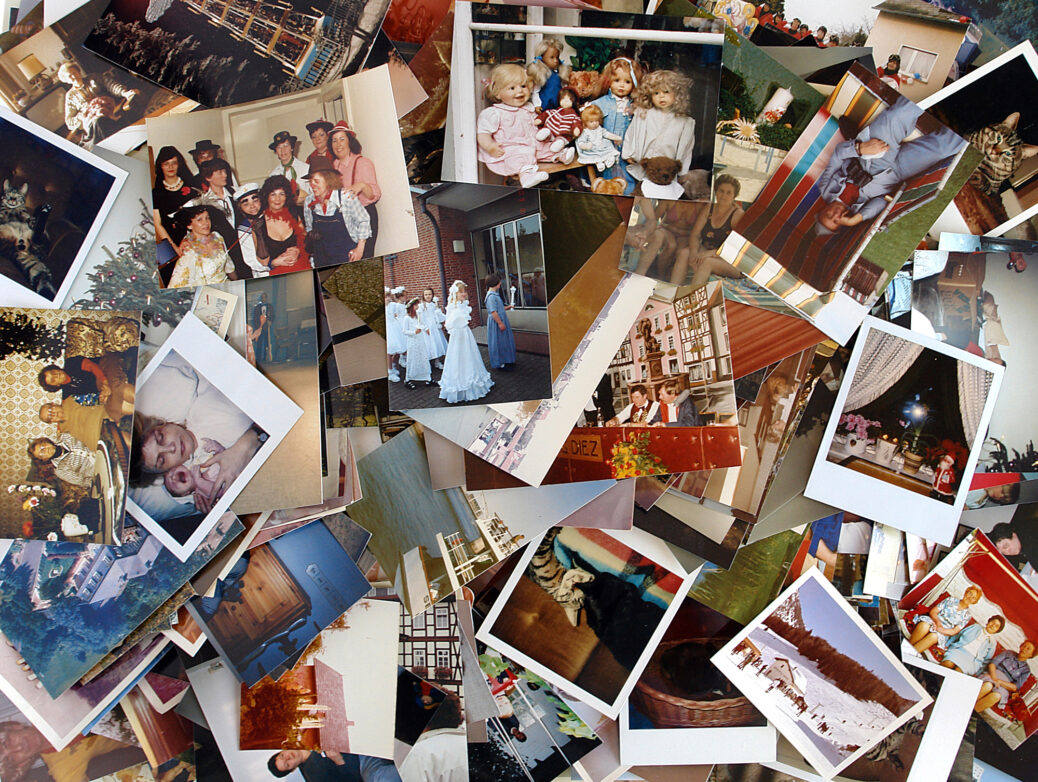
Somewhere in your house, there’s probably a forgotten shoebox tucked away in the linen cupboard. Or maybe an old photo album gathering dust on the bottom shelf. If you dig inside, you’re instantly hit with decades of family history: grandparents looking impossibly cool as teenagers, parents rocking some questionable 80s haircuts, and chubby baby versions of you and your siblings.
Let’s be honest, printed photos don’t stay perfect forever. If you leave those old albums gathering dust for too long, the pictures start to fade, crack, or just stick together. But instead of letting those memories slip away, why not use them as a reason to get everyone together around the kitchen table? Sorting through and saving old family photos is the perfect way to spend a rainy afternoon.
In this article, we’ll look at how this simple project can get the whole family sharing stories and guarantee some proper quality time with the kids.
Why This Project Matters
Kids today grow up seeing the world through a smartphone screen, so holding a real, printed photo feels almost magical to them. There’s something special about having an actual piece of photo paper in their hands—it makes the past feel real in a way that scrolling through an Instagram feed or camera roll just can’t touch.
Dumping a pile of old pictures on the table is the easiest way to spark a proper conversation. When your kids see a photo of you or their grandparents at their exact age, it genuinely blows their minds. Suddenly, history isn’t some dry textbook topic; it’s their own story. They’ll start asking non-stop questions, which inevitably remind you of hilarious family stories you haven’t thought about in years.
It’s also the ultimate way to get the grandparents involved. They can tell you exactly who that random cousin in the background is, recall forgotten names, and share memories from fifty years ago. It’s a beautiful, easy way to connect the oldest and youngest members of your family.
The Family Restoration Workflow
If you have hundreds of photos, the thought of sorting them can feel exhausting. Don’t worry—you don’t have to do it all in one afternoon. To keep the kids interested and stop yourself from getting overwhelmed, just follow these three easy steps:
- Go on a Treasure Hunt: Turn the cleanup into a game. Set your children the task of finding all the old albums, loose prints and boxes of negatives hidden around the house. If you can, ask Grandma and Grandad to bring over a stack of their own favourites.
- Spread Them All Out: Clear off the dining table and dump out the photos. Sort them into piles by decade, family branch, or big events like weddings, birthdays and summer holidays. Have the kids pick out the absolute best ones—especially the ones that make them laugh or say, “No way, Dad, was that really your car?”
- Go Digital to Keep Them Safe: Once you’ve picked your favourite snapshots, you need to digitise them. Getting them onto a computer means they are safe forever from juice spills, sunlight fading, or getting lost during a move.
Choose Your Tech Toolkit
You don’t need to be a tech wizard or spend a fortune on fancy scanners and editing software to get incredible results. A couple of simple, clever tools make the whole process a breeze.
First, you need to get those physical photos onto your computer screen. A great, free mobile tool for this is Google PhotoScan. You just download it to your smartphone and use your camera to photograph the old prints. The app uses clever tech to strip away any annoying glare or reflections from the glossy paper, and it automatically crops and straightens the edges for you.
Once you have the digital files saved, you can start fixing the damage. If your pictures are covered in scratches, have ripped corners, or look totally washed out, using reliable software to restore old photos like PhotoGlory is the way to go.
This desktop program is built specifically for reviving old prints, meaning you don’t have to learn complicated, professional editing systems. With just a few simple clicks, you can:
- Erase surface cracks and creases and even fix missing corners or torn edges.
- Colourise old black-and-white portraits instantly using AI.
- Boost faded colours to make 70s and 80s holiday shots look bright and new again.
The buttons and controls are so straightforward that your older, tech-savvy kids can take over. They’ll love watching the transformation and helping you along the way.
Wrapping Up
Honestly, seeing a damaged old photo of an ancestor pop into vivid colour right before your eyes is a bit of a trip. It bridges the years between you and makes the past feel completely present.
Why not clear off the table this weekend, grab a cuppa, and round up the kids to find those old albums? Spending a rainy arvo sorting through them isn’t about doing chores—it’s just a great chance to have a laugh, share some ridiculous family stories, and keep those moments alive for the next generation.
- About the Author
- Latest Posts